Welcome to m5tamaStick
Unlock the full potential of your Tama with your M5StickC. Send gifts, download exclusive items, and connect for playdates seamlessly.
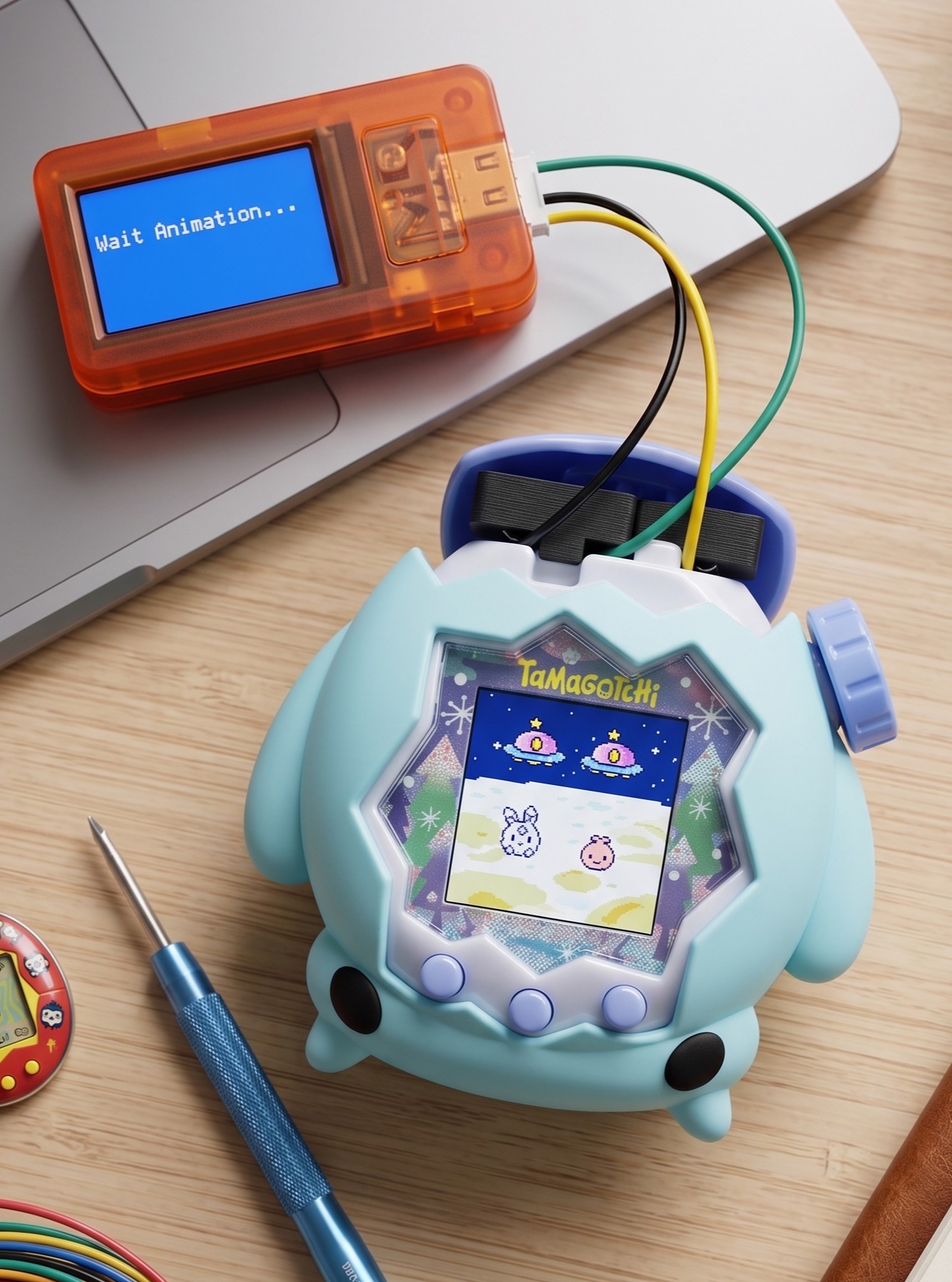
Features
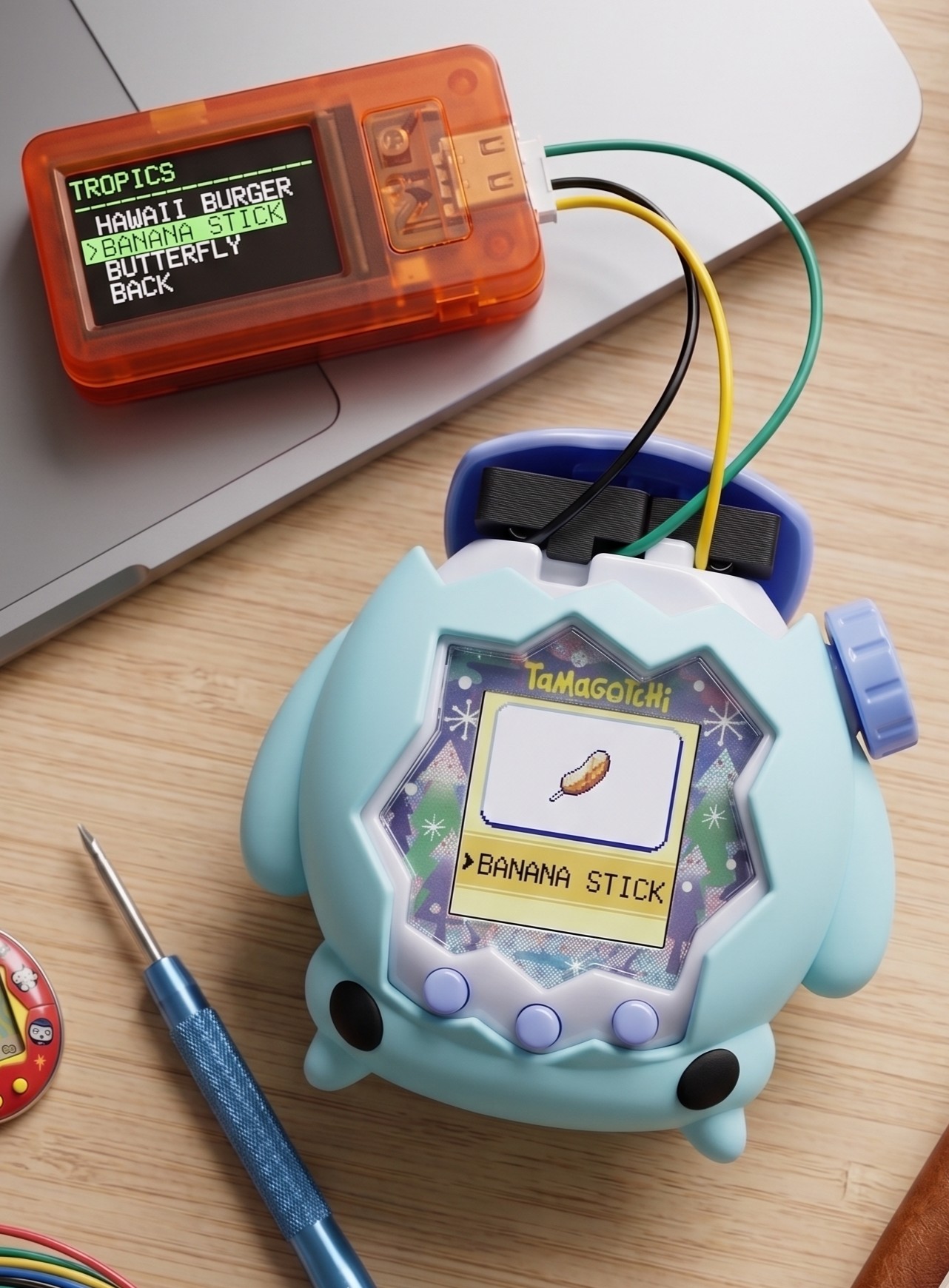
Send Gifts
Send these items directly to your Tama across multiple themed lands:
Download
Transmit data for the ultimate money trick! The item will cost only 1 gold to buy, and can be sold for 9999 gold!
Playdates
Select different ghost characters (Land Leopatchi, Sky Gemtchi, etc.) and simulate playdates instantly!
- Land Leopatchi
- Water Irukatchi
- Sky Gemtchi
- Jade Tigaotchi
- Tropics Poizutchi
- Glacier Crocotchi
How to Connect
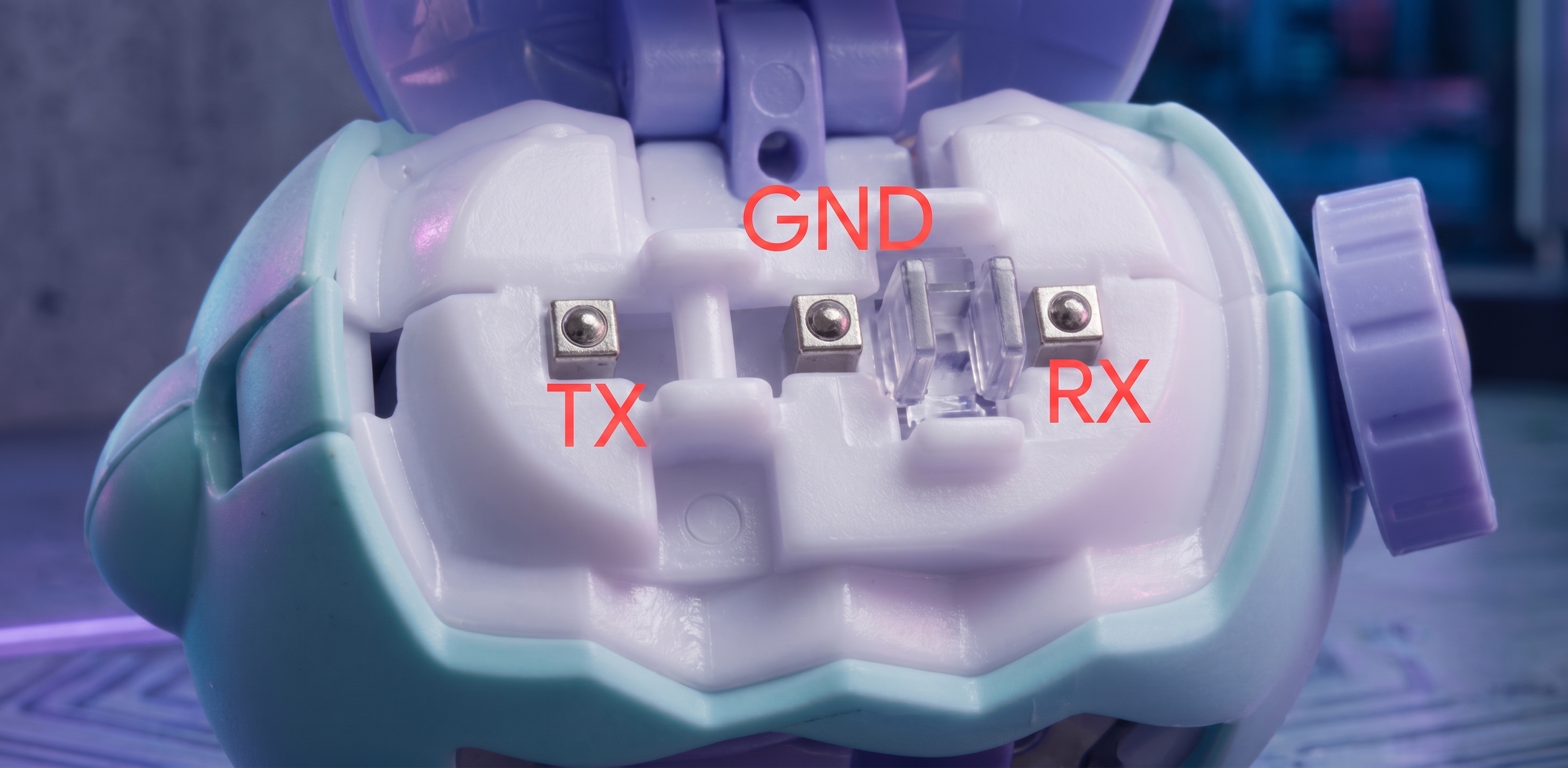
Connecting your M5StickC to your Tama requires only 3 pins. Use dupont cables to connect to the Tama's connection port.
- M5StickC Plus / Plus SE / Plus 2: RX = 32, TX = 33
- M5StickS3: RX = 9, TX = 10
Web Installer
Connect your M5StickC to your computer via USB-C. Make sure you are using a Chromium-based browser (Chrome, Edge, Brave).
The installer will automatically fetch the correct firmware from your selection.